
HangUp: A spam call blocker
Nord SecurityCommunication
4.4137.00 Reviews
- Version
- 1.2.5
- Installs
- 50.00K
- Age Rating
- Everyone
Screenshots

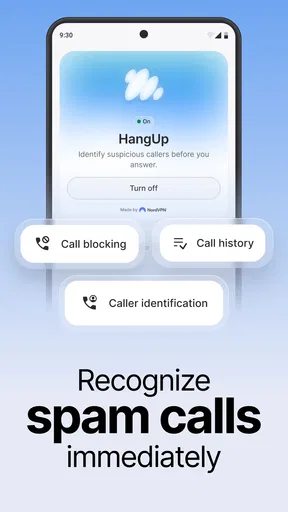
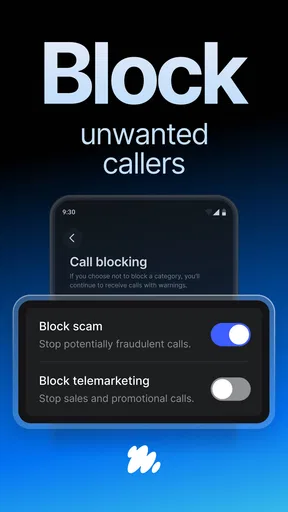
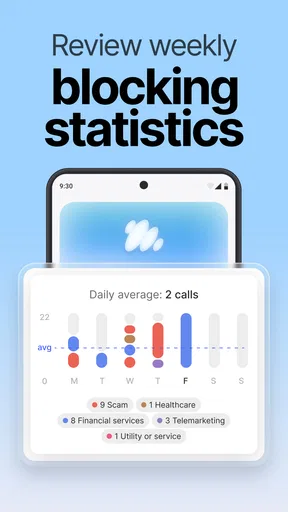


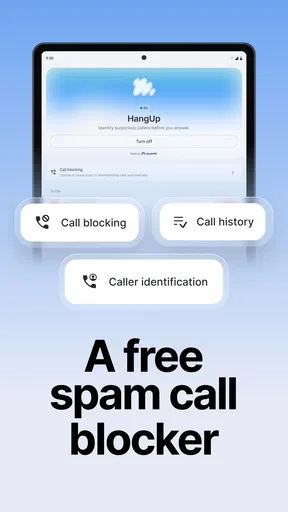
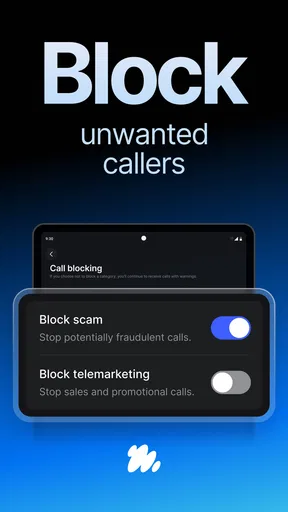
Our Review of HangUp: A spam call blocker
 Analysis by Appyee
When an unknown number interrupts dinner, a work call, or a child’s quiet afternoon, the problem is rarely the single ring itself. The real nuisance is deciding whether it is worth answering, searching, or risking another unwanted conversation. HangUp is a free communication app from Nord Security that focuses on that very moment: helping identify callers and block calls that look like spam. I found its appeal strongest in a household where several people share responsibility for answering the phone, because it can make the first decision quicker without turning call handling into a complicated project.
The app is listed for Everyone, runs on devices using Android 12 or newer, and is currently at version 1.2.5. Its public reception is encouraging, with a 4.4 average from around 1.2 thousand ratings and more than 50 thousand installs. Those figures suggest a young but meaningful user base rather than a long-established utility. I would describe it as a focused tool, not a replacement for the phone app: its value comes from adding caller context and a barrier against unwanted calls.
How HangUp fits into a shared household
Imagine a family using one main phone for deliveries, appointments, school contacts, and ordinary personal calls. One person may recognize most numbers, while another answers more cautiously and a teenager may simply ignore anything unfamiliar. In that setting, a caller-identification tool can reduce guesswork. The person holding the device can see more context before deciding whether to answer, let the call go through, or block it.
This is especially useful when the phone is used by more than one adult during the day. A partner waiting for a courier may want to answer an unfamiliar number, while someone else may prefer not to engage with repeated sales calls. HangUp does not remove the need for judgment, but it can make that judgment faster. I like this distinction because the app is not promising to solve every phone problem; it is aimed at the interruption that happens before a conversation begins.
A practical household routine is to treat the app as a first filter rather than an automatic decision-maker. If a call is recognized as unwanted, blocking can save time. If the caller is unfamiliar but appears relevant to an expected appointment, answering may still be sensible. That workflow avoids one of the common mistakes with call blockers: assuming every unknown number is dangerous or every identified number is trustworthy.
The shared-device angle also exposes an important boundary. A caller label is visible to whoever uses the phone, so it should be treated as shared information, not as a private record belonging to one family member. If several people answer the same device, everyone should understand that the app supports call decisions; it does not create separate personal spaces for each user.
What the first setup is really about
The most important setup question is not whether the interface looks simple. It is whether you are comfortable giving a communication utility a role in how incoming calls are presented and filtered. On a personal phone, that decision belongs to one person. On a shared device, it affects everyone who relies on that number, so I would discuss it before enabling blocking.
That conversation matters because blocking is more decisive than identification. A family member who expects calls from clinics, schools, couriers, or local businesses may prefer to review unfamiliar calls manually. Another person may be tired of repeated interruptions and want a firmer filter. HangUp works best when the household agrees on that balance instead of one user quietly changing the way calls are handled for everyone.
I would also begin conservatively. Let the caller-identification function inform decisions, then observe how it fits your normal routine before treating blocking as the default response. This is not a claim about a hidden setting; it is practical advice for avoiding missed calls. A number can be unfamiliar for innocent reasons, especially when a legitimate organization uses an outbound line that is not already in your contacts.
Compatibility is another clear boundary. Because the current minimum is Android 12, older Android phones are outside the app’s supported range. That matters in households where one person keeps an older handset as a backup or where a shared phone is not upgraded often. The app may be free, but the device requirement still determines whether it can participate in the household’s call routine.
The free price makes trying it less complicated financially, which is useful when you are evaluating it for a secondary phone. Still, “free” should not be confused with “effortless.” You still need to decide how the app fits beside the phone’s existing call tools, whether everyone understands the blocking behavior, and how you will handle a call that appears suspicious but might be important.
Coordination without creating confusion
For a shared device, coordination is more valuable than aggressive filtering. I would suggest agreeing on a simple rule: identified unwanted calls can be blocked, while unfamiliar calls connected to an expected event should be checked before anyone dismisses them. That rule is easy to explain to another adult and clear enough for a responsible older child who sometimes answers the phone.
Another useful habit is telling household members when a number has been blocked. Otherwise, one person may assume the phone is malfunctioning when a caller can no longer reach it. HangUp can support the decision to reject unwanted calls, but it cannot replace a family’s own record of important contacts. Keeping schools, doctors, delivery services, and relatives saved in the phone remains sensible because contact names are often the quickest form of recognition.
I would not use a call blocker as a substitute for teaching younger users how to handle calls. A child should know not to share personal information simply because a caller sounds confident, and should know when to hand the phone to an adult. Identification may provide useful context, but it does not verify the caller’s intentions. That is one of the most important trade-offs: convenience at the incoming-call stage is not the same as complete protection.
HangUp is also better suited to coordination around one number than to managing separate identities. If each family member has a personal phone and different tolerance for unknown callers, installing the same app may still be useful, but the decisions should remain individual. A shared policy can become frustrating when applied to people who receive very different kinds of calls.
Age, trust, and the limits of caller labels
The Everyone content rating makes the app approachable for a broad audience, but an age label is not a substitute for supervision or judgment. For a younger user, the helpful part is reducing the pressure to answer every unfamiliar call. The risk is teaching false confidence: a visible caller name or spam indication should never be treated as proof that a conversation is safe.
For older relatives, the value may be more immediate. Repeated unwanted calls can be stressful, and a clearer first impression may make it easier to pause before answering. I would introduce the app as a decision aid, not as a promise that every nuisance call will disappear. That wording encourages the user to remain cautious when a call is not recognized or when the context feels wrong.
Trust also matters between the people sharing a phone. Blocking changes who can get through, so it should not be used secretly to control another person’s contacts or communications. The app’s purpose is call hygiene, not household surveillance. If a family member needs certain callers to remain reachable, those expectations should be discussed before a blocking habit is established.
There is a subtle difference between privacy and convenience here. A user may appreciate not having to expose a personal number to every caller, while another may worry about how caller information appears on a shared screen. HangUp can be a good fit when the household is comfortable making those decisions together. It is less suitable when people need strict separation between their call activity and another user’s view of the device.
Where it beats ordinary call handling
The usual alternative is the phone’s built-in caller screen, combined with manually ignoring or blocking numbers one at a time. That approach is familiar and requires no extra app, but it places the entire burden on the person holding the phone. HangUp’s reason for existing is to make that moment more informed and to give spam blocking a dedicated role.
Compared with a general security suite, the app’s narrower communication focus may be an advantage for someone who only wants help with calls. I would not choose it as a broad privacy or device-maintenance solution; its appeal is precisely that it addresses incoming-call decisions without asking the user to adopt a much larger security workflow.
There is also a trade-off against simply ignoring every unknown number. That approach offers peace and avoids many scams, but it can also hide legitimate calls from businesses, services, or people using a number you have not saved. Caller identification gives you more information than blind ignoring, while blocking gives you a stronger response when a call is clearly unwanted. The best option depends on whether missed calls or interruptions are the bigger problem in your household.
For someone who receives many calls from new clients, temporary workplaces, or regional services, I would be cautious about heavy blocking. For someone whose phone is mostly used for known contacts and is repeatedly disturbed by nuisance calls, the app makes more sense. This is where the product feels practical: its usefulness is tied to the pattern of calls you actually receive, not to a universal promise that every phone needs the same filter.
Small habits that make the app more useful
First, keep important contacts organized before relying on caller labels. Saved names provide a stable reference for the whole household and reduce the chance that someone blocks a legitimate caller simply because the number looks unfamiliar. This is particularly important on a shared device, where another person may not know which organizations are expected to call.
Second, separate “unknown” from “unwanted” in your household language. An unknown number is merely not recognized; an unwanted call is one you have reason to reject. That distinction prevents overblocking and helps children or less confident users explain why they are hesitating. HangUp is most helpful when it supports that reasoning rather than replacing it.
Third, review your habits after a busy week of calls. If important callers are repeatedly unfamiliar, use that experience to improve the contact list and household expectations. If nuisance calls continue to dominate, a stronger blocking approach may be justified. The insight is that the app works best as part of a feedback loop: identify, decide, learn which calls matter, and adjust behavior.
Finally, use the app alongside ordinary caution. Never provide passwords, payment details, verification codes, or sensitive family information to an unsolicited caller. Even a useful caller-ID signal cannot turn a phone conversation into a verified identity check. That limitation is not a flaw unique to HangUp; it is the reason I would recommend it as a filter, not as a complete safety system.
Who should install it, and who should pass
I would recommend HangUp to Android users on supported devices who want a focused way to recognize callers and reduce spam interruptions. It is particularly appealing for a household phone, a parent helping an older relative make safer call decisions, or anyone who wants more context than the standard incoming-call screen provides.
I would hesitate if your phone is older than the supported operating-system requirement, if you need strict separation between multiple users, or if you receive a large volume of legitimate calls from numbers that are rarely saved. In those situations, the phone’s existing tools and careful manual screening may be less disruptive. A different communication or security product may also be a better choice if you want a wider set of protections rather than a dedicated call-focused utility.
The developer, Nord Security, gives the app a recognizable security-oriented context, but I would still judge this particular product by its everyday behavior: does it help you make quicker, better call decisions without causing missed contacts or household confusion? That is the test that matters more than the developer name.
My household verdict
After looking at HangUp as a shared-device tool rather than merely a spam blocker, I see a useful balance. It can reduce the friction of unfamiliar calls, give family members a common way to discuss what they are seeing, and make blocking unwanted interruptions more deliberate. Its free availability lowers the barrier to trying it, while the Everyone rating makes the app easy to consider for a broad household audience.
My recommendation is to introduce it with clear boundaries: caller information is guidance, blocking should be agreed upon, and important contacts should remain saved in the phone. If those rules fit your household, HangUp is a practical call-screening companion rather than an overcomplicated security package. If your family needs separate communication spaces or depends on many unsaved legitimate callers, the app may create more decisions than it removes.
For my own use, the strongest reason to choose HangUp is not the promise of eliminating every nuisance call. It is the small but meaningful improvement before answering: knowing more, pausing briefly, and giving the household a consistent way to deal with interruptions. That makes it worth considering for supported Android phones, provided everyone treats it as a helpful layer of judgment instead of a guarantee.
Verdict
Strengths of HangUp: A spam call blocker
- Blocks suspected spam calls before they interrupt you.
- Helps identify unknown callers with useful caller information.
- Simple setup makes it accessible for less technical users.
- Can reduce exposure to robocalls and unwanted marketing calls.
- Useful call-management tools help keep your recent calls organized.
Limitations of HangUp: A spam call blocker
- Some detection features may require a paid subscription.
- Caller identification can be inaccurate for unfamiliar numbers.
- Effectiveness depends on regularly updated spam databases.
- Blocking settings may occasionally filter legitimate business calls.
- The app may need ongoing permissions to monitor incoming calls.
Other Releases by Nord Security
View All
NordVPN – fast VPN for privacy
Tools4.6

Saily: eSIM + phone number
Travel & Local4.6

NordPass Password Manager
Productivity4.4
Similar Picks in This Category
View All
Google Messages
Google LLC4.6

Gmail
Google LLC4.1

Google Meet
Google LLC4.4

Google Chrome
Google LLC4.1

WhatsApp Messenger
WhatsApp LLC4.6

Carrier Services
Google LLC4.2
Frequently Asked Questions
What is HangUp: A spam call blocker and how does it work?
HangUp: A spam call blocker is designed to help identify and filter unwanted calls, including suspected spam, telemarketing attempts, and potentially fraudulent numbers. After installation, the app may compare incoming caller information with its spam database or use blocking rules you configure. Depending on your settings and device permissions, suspicious calls can be silenced, rejected, or flagged so you can decide whether to answer.
Does HangUp block every spam or scam call automatically?
No call-blocking app can guarantee that every unwanted call will be detected. HangUp’s effectiveness depends on its database, available caller information, your selected blocking rules, and how quickly new numbers are reported. Some spam callers constantly change numbers or use local-number spoofing, which can make identification difficult. It is best to review the app’s settings and keep its database or app version updated.
What permissions does HangUp require, and is my personal information safe?
A call-blocking app commonly needs access to phone-related functions, such as identifying incoming calls, managing blocked numbers, or viewing call information. The exact permissions depend on your Android or iOS version and the features you enable. Before granting access, read the app’s privacy policy and store listing carefully. Avoid enabling permissions that seem unrelated to call identification or blocking.
Can I create my own blocklist and allow important callers?
HangUp is intended to give users control over unwanted calls, so you should check whether its current version supports manually blocking numbers, reporting spam, and creating exceptions for trusted contacts. These options are especially useful if automatic filtering is too aggressive. Before relying on the app, test its configuration with known callers and make sure family members, doctors, delivery services, or work contacts are not accidentally silenced.
Is HangUp: A spam call blocker free to download, and are there extra costs?
The availability of free features, premium tools, subscriptions, advertisements, or in-app purchases can vary by platform and region. Before downloading, check the official Google Play or App Store listing for the current pricing details. Some versions may provide basic caller identification at no cost while reserving advanced blocking, larger databases, or additional privacy features for a paid plan. Review renewal terms before starting any subscription.
